 ImageSizer
The problem it solves
Photos straight off a phone or camera are several thousand pixels wide and several megabytes each. Your website, your email and your chat app don't need that, and some of them refuse it.
Think of it like a hose nozzle. You pick the biggest a picture is allowed to be, and every picture that's too big gets squeezed down to fit. Pictures that already fit are left alone, and nothing is ever enlarged.
ImageSizer is the browser version of ImageSizeReducer, my Windows tool at the-Automator.com.
How it works
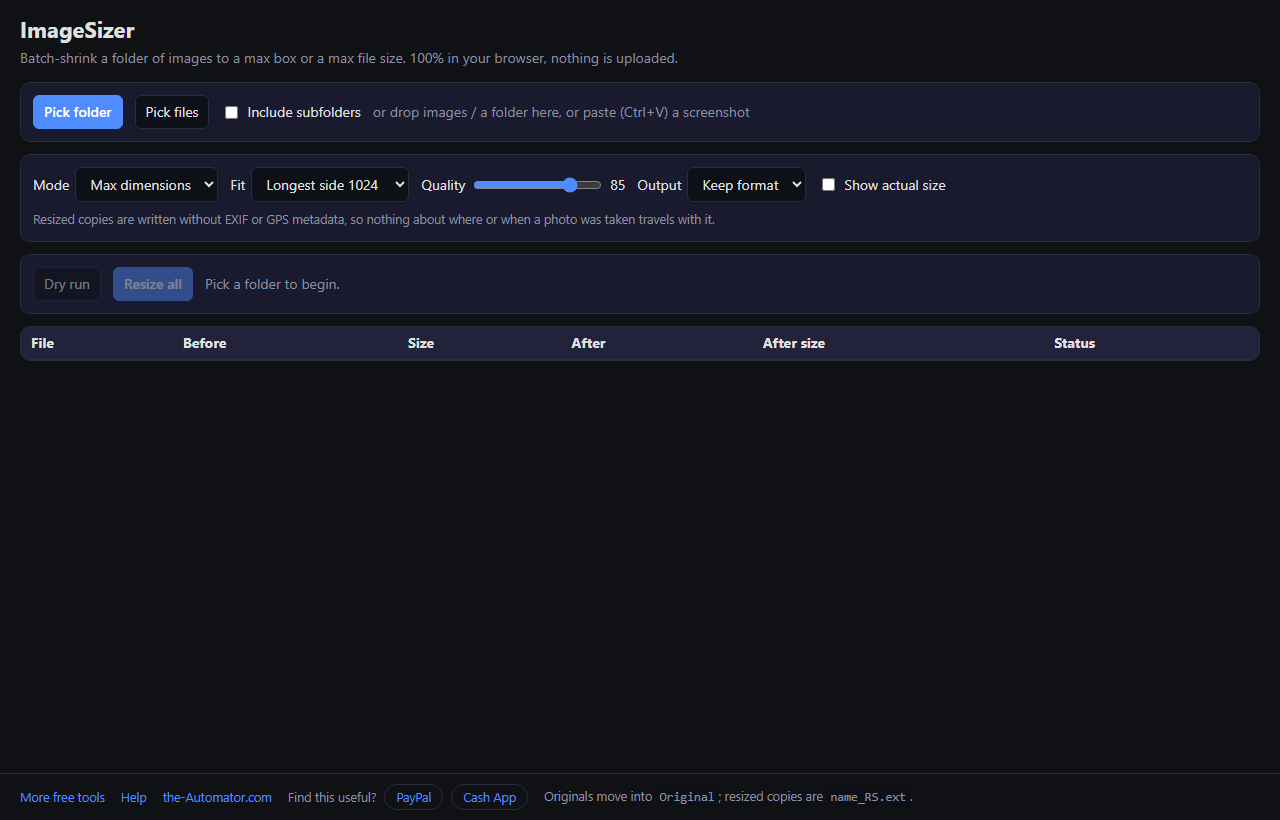
- Pick your pictures. Choose a folder (Chrome or Edge on a computer), pick files, or drop images on the page. Tick Include subfolders to go deeper.
- Set the limit. Pick a longest side, like 1024, or type a max file size in KB.
- Press Dry run. Every picture is actually processed in memory, so the After column shows the real size. Nothing is written yet. Click any row to compare the original and the result side by side.
- Press Resize all. The results from the dry run are saved.
Two ways to set the limit
Max dimensions: pick a longest side and each picture is scaled so its longer edge fits, portrait or landscape. The shape is kept. Custom box lets you set width and height separately.
Max file size: type a number of kilobytes, handy when a form says "under 500 KB." Each picture is re-saved until it comes in at or under that size. Quality is lowered first, and if that isn't enough, the picture is shrunk too. If a picture can't reach the target, the table tells you.
A quality slider controls how hard JPEG and WebP are compressed, and you can keep each file's format or convert everything to JPEG, WebP or PNG.
Where the results go
If you picked a folder in Chrome or Edge, each original moves into an Original subfolder and the smaller copy is saved where it was, with _RS added to the name. Nothing is deleted.
On a phone, in Firefox or Safari, or if you used Pick files, the browser can't write into your folders, so the results download as one zip file instead.
Need just one picture? Press Ctrl+V anywhere on the page with an image on your clipboard. It's resized and the compare panel opens, with buttons to copy the result or download it.
Why I ask for your email
It tells me who is actually using the tool, which helps me decide what to keep building.
Your photos are another story. They never leave your device. Resizing happens inside your browser: nothing is uploaded and nothing is stored on a server.
I might send you a note now and then about other free tools I build. I will never sell or give your email to anyone else.
Questions people ask
Is it free?
Yes. Sign up once with your first name and email and resize as many photos as you like.
Which formats work?
JPEG, PNG, WebP, BMP, GIF and AVIF. TIFF isn't supported because browsers can't read it.
Does it keep the photo details, like location?
Not in the resized copies. They're written without EXIF or GPS data. Your originals are untouched and keep everything.
Will it rotate my sideways phone photos?
Photos that carry a rotation tag are saved upright.
Can I use it offline?
Yes. Once the page has loaded, it keeps working without a connection.
Is there a Windows version?
Yes. ImageSizeReducer at the-Automator.com does the same job on your PC with no browser involved.